

There was a time when an engine was mostly metal.
You changed the oil, listened for odd noises, and hoped nothing lit up on the dashboard. That was it. If something felt off, a mechanic popped the hood and went hunting.
Modern GMC trucks don’t work that way anymore.
Today, your GMC Sierra Yukon engine software update can change how your vehicle shifts, idles, saves fuel, handles cold starts, or even how it responds when you press the accelerator. No wrench required. Just code.
That idea still feels strange to a lot of drivers. And honestly, that’s fair.
So let’s slow this down and talk about what these updates really are, why they happen, what problems they fix, and how they affect real owners driving real roads.
When Trucks Became Rolling Computers
If you drive a GMC Sierra or a GMC Yukon built in the last decade, you’re already driving a computer on wheels.
The engine control module (ECM) doesn’t just manage fuel and spark. It constantly adjusts:
- Air-to-fuel ratios
- Transmission shift timing
- Cylinder deactivation
- Throttle response
- Emissions systems
- Cold start behavior
All of that logic lives in software.
And when GM finds a better way to do something or a problem that needs fixing they don’t redesign the engine. They release a software update.
That’s the heart of a GMC Sierra Yukon engine software update.
Why GM Releases Engine Software Updates
Let’s clear up a common misunderstanding.
Most engine software updates are not recalls. They’re not always emergency fixes. Many are improvements based on real-world data.
GM collects massive amounts of feedback from:
- Dealership diagnostics
- Warranty claims
- Fleet usage data
- Customer complaints
- Emissions testing
Patterns emerge. Maybe a certain engine hesitates at low speeds. Maybe a transmission downshifts too aggressively. Maybe fuel economy drops in cold weather.
Software lets GM adjust those behaviors without touching the hardware.
That flexibility is both powerful and necessary.
Common Reasons for a GMC Sierra Yukon Engine Software Update
Not every update is the same, but most fall into a few familiar categories.
Driveability Issues
Owners report things like:
- Rough idle at stoplights
- Delayed acceleration
- Hard or clunky shifting
- Engine shudder at cruising speed
Often, these are calibration issues, not mechanical failures.
Fuel Economy Optimization
Small changes in timing, throttle mapping, or cylinder management can improve real-world MPG without sacrificing performance.
Emissions Compliance
Regulations evolve. Software updates help ensure engines remain compliant under changing standards.
Cold Start and Warm-Up Behavior
Cold climates expose issues faster. Updates often refine how engines behave during startup and warm-up cycles.
Long-Term Reliability
Some updates reduce stress on components by adjusting how aggressively systems operate.
Real-World Example: The “Something Feels Off” Update
This is how many updates actually start.
A Yukon owner notices the SUV feels sluggish pulling away from stops. No warning lights. No error codes. Just… off.
They mention it during an oil change.
The dealership scans the system and finds a newer calibration available. The update is applied.
Suddenly:
- Throttle response improves
- Shifts feel smoother
- Idle stabilizes
Nothing mechanical changed. But the truck feels better.
That’s software doing its quiet work.
Engines Commonly Affected by These Updates
Not every Sierra or Yukon uses the same engine, and updates vary by powertrain.
Common engines involved include:
- 5.3L V8 (L84, older Vortec variants)
- 6.2L V8
- 3.0L Duramax diesel
- Earlier 4.8L and 6.0L engines in older models
Each engine has its own calibration history. A GMC Sierra Yukon engine software update is always engine-specific.
Transmission Behavior Is Often Part of the Update
This surprises a lot of owners.
They think it’s an engine update, but the transmission suddenly feels different.
That’s because modern engines and transmissions are deeply connected. Software updates often adjust how the engine and transmission talk to each other.
Changes may include:
- Shift timing
- Torque management
- Gear holding behavior
- Downshift logic
When done right, it feels smoother and more predictable.
Does an Update Change Power or Performance?
Short answer: sometimes, but subtly.
Most updates are not about adding horsepower. They’re about making power delivery more usable.
You might notice:
- Less hesitation
- Smoother acceleration
- Better low-speed response
- More consistent towing behavior
GM prioritizes drivability and reliability over raw performance in these updates.
Towing and Hauling Improvements
Sierra and Yukon owners who tow often notice updates more than anyone else.
Software can refine:
- Torque delivery under load
- Transmission cooling strategies
- Downshift behavior on hills
- Throttle sensitivity while towing
For people pulling trailers regularly, these refinements matter.
They reduce strain and improve confidence.
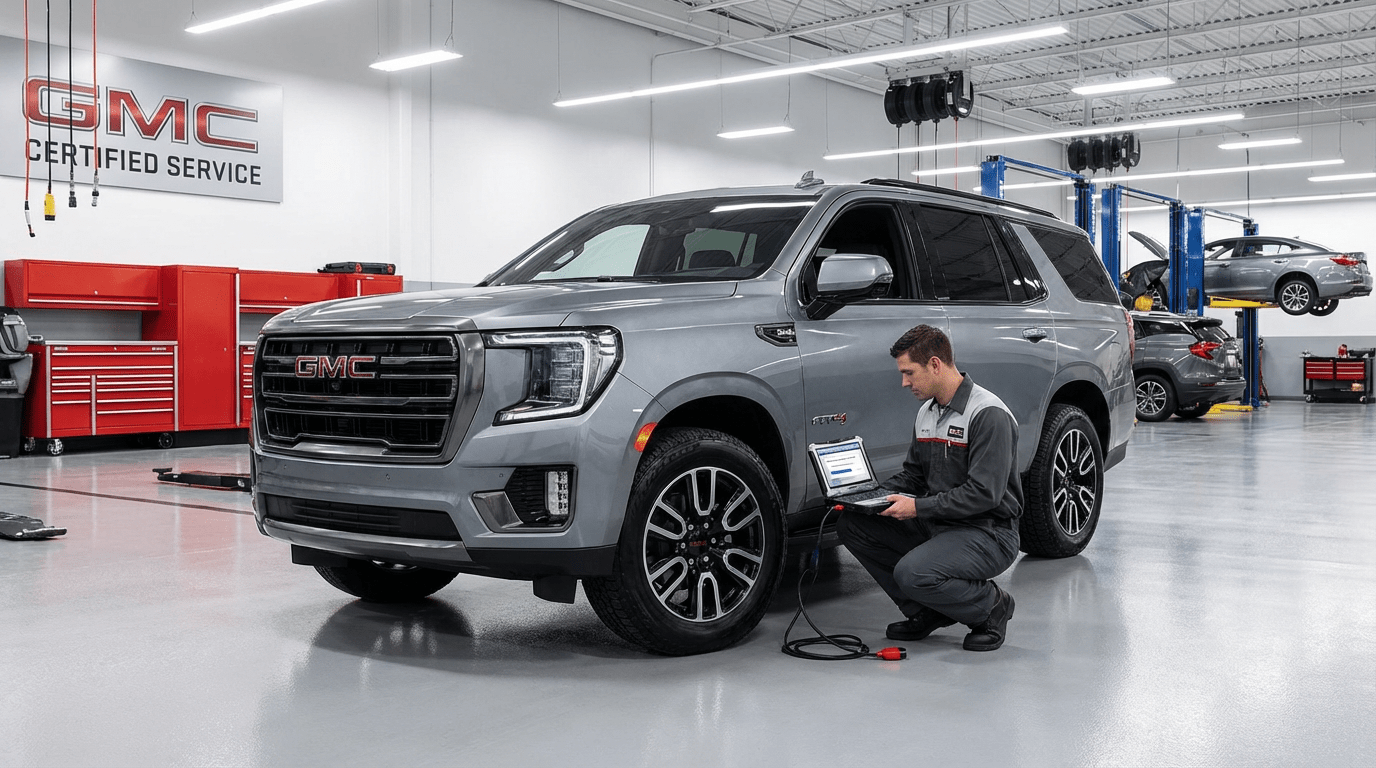
How the Update Is Actually Installed
This isn’t something you download at home.
A GMC Sierra Yukon engine software update is typically installed at a dealership using GM’s official diagnostic tools.
The process usually involves:
- Connecting the vehicle to GM’s service system
- Verifying current software versions
- Flashing the updated calibration
- Testing systems afterward
It can take anywhere from 30 minutes to a couple of hours, depending on complexity.
Over-the-Air Updates: Are They Coming?
Some newer GM vehicles support over-the-air updates, but engine and transmission updates are still mostly dealer-controlled.
Why? Safety and validation.
Engine software directly affects emissions, performance, and reliability. GM wants controlled environments for those updates.
That may change in the future, but for now, dealerships remain central.
Will You Always Be Notified?
Not always.
Some updates are applied:
- During routine service
- When diagnosing a complaint
- As part of a technical service bulletin (TSB)
Others may only be installed if a specific issue is reported.
If something feels wrong, ask your dealer to check for available software updates.
How to Know If Your Sierra or Yukon Needs One
You don’t need to guess.
Ask the service department to:
- Check for ECM and TCM updates
- Review open service bulletins
- Scan for calibration mismatches
If you’re experiencing unusual behavior, mention it clearly. Symptoms help technicians decide whether an update applies.
Concerns Owners Often Have (And Honest Answers)
Will an update reduce performance?
Generally no. Updates aim to improve consistency, not limit power.
Can an update fix mechanical problems?
No. Software can’t repair worn parts, but it can reduce stress that causes wear.
Will it erase my custom settings?
Usually no, but some learned driving behaviors may reset temporarily.
Can updates cause new problems?
Rare, but possible. That’s why dealerships test after flashing.
Older Models and Software Support
Even older Sierra and Yukon models often receive updates years after release.
GM maintains calibration support longer than many people expect, especially for popular trucks.
However, very old models may stop receiving updates once systems become obsolete.
Resources for GMC Owners
For official information on recalls, service bulletins, and updates, GM’s owner resources are useful.
For general vehicle software and emissions discussions, the EPA’s vehicle compliance information provides context.
These sources help ground software updates in broader industry practices.
The Emotional Side of Updates (Yes, It Matters)
Here’s something rarely discussed.
When a truck doesn’t feel right, it creates doubt. You wonder if something is wrong. You listen harder. You worry more.
A successful GMC Sierra Yukon engine software update restores confidence.
The vehicle feels predictable again. Smooth. Solid. Like it should.
That peace of mind is part of the value.
FAQs About GMC Sierra Yukon Engine Software Update
What is a GMC Sierra Yukon engine software update?
It’s a reprogramming of the engine control module to improve performance, drivability, emissions, or reliability.
Is the update free?
Often yes, especially if applied under warranty or related to a known issue.
How long does it take?
Typically between 30 minutes and 2 hours at a dealership.
Can I request an update even without a problem?
You can ask, but dealerships usually install updates when they address a symptom or bulletin.
Will it improve fuel economy?
Sometimes, especially if the update targets efficiency-related calibrations.
Does it affect towing performance?
Many updates improve towing behavior by refining torque and shift strategies.
Final Thoughts
Your truck isn’t just steel and horsepower anymore.
It’s logic. Algorithms. Decisions made thousands of times per second.
A GMC Sierra Yukon engine software update is how those decisions get smarter over time.
When done right, you don’t notice the software itself. You notice how calm the truck feels. How smooth it drives. How confident it makes you feel behind the wheel.
And in a vehicle built to work hard and last long, that quiet improvement matters more than most people realize.
