
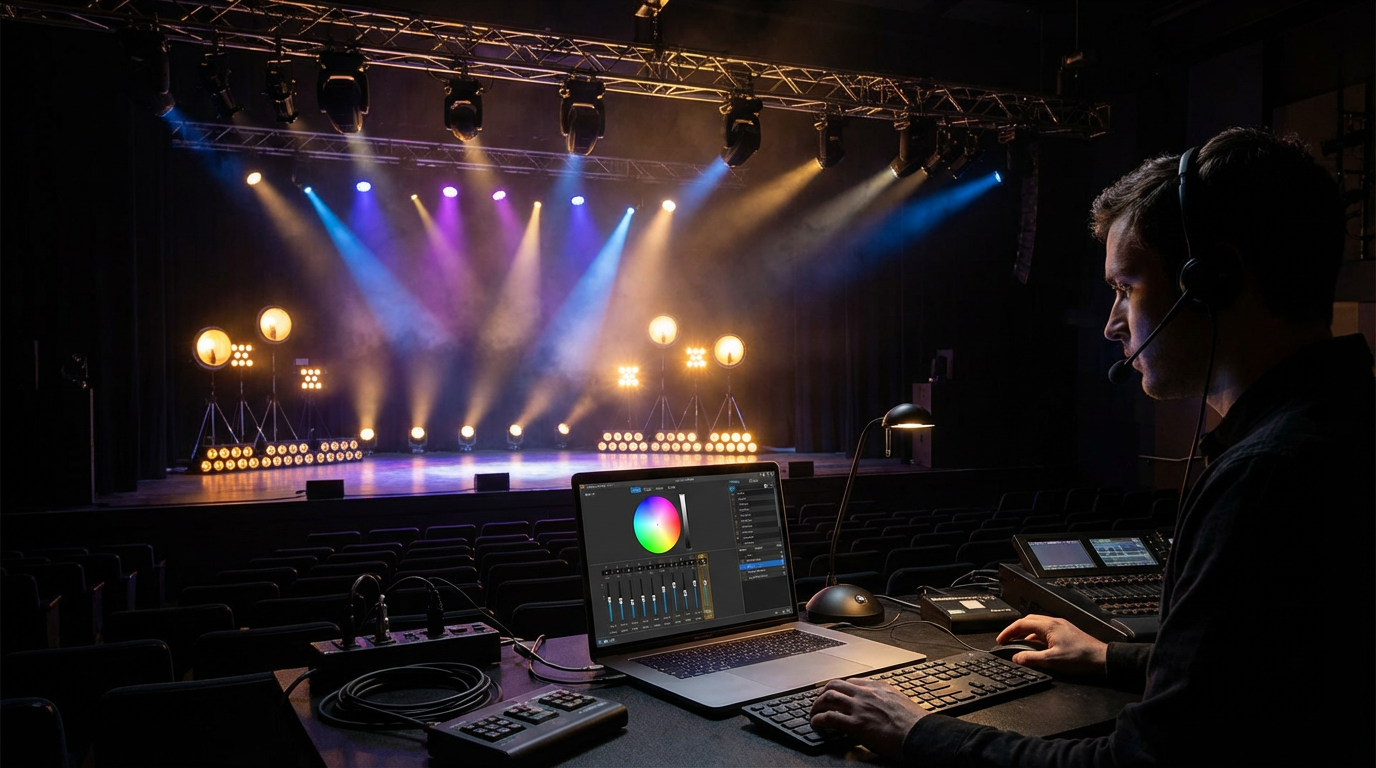
Anyone who has ever worked backstage knows this truth: the show doesn’t wait for the internet.
It doesn’t wait for updates.
It doesn’t wait for cloud syncs.
And it definitely doesn’t wait for a dropped connection five minutes before curtain.
That’s exactly why ColorSource 40 offline software still matters in a world obsessed with always-online tools.
This topic might sound narrow, almost old-school. But if you’re involved in stage lighting, theatrical productions, houses of worship, schools, or small venues, you already know how important offline control can be.
This isn’t about nostalgia.
It’s about trust.
The Real World of Lighting Control (Not the Marketing Version)
Lighting software is often presented like this glossy, futuristic thing. Touchscreens. Cloud dashboards. Remote access from anywhere.
Looks great on a website.
But in real venues?
- Internet is unreliable
- IT permissions are restrictive
- Systems are locked down
- Last-minute changes are constant
And when something breaks, you don’t get a second chance.
That’s where offline solutions like ColorSource 40 offline software quietly earn their keep.
What Is ColorSource 40 Offline Software, Really?
ColorSource 40 is a lighting console from ETC (Electronic Theatre Controls), a company that’s been part of professional lighting for decades. Not a startup. Not a trend chaser.
The offline software is exactly what it sounds like: a way to program, edit, and prepare shows without needing the physical console or a live network connection.
Think of it as a rehearsal room for your lighting brain.
You can:
- Build cues
- Edit looks
- Organize sequences
- Prepare shows
All without standing in the venue or turning on a single fixture.
Why Offline Still Matters (More Than People Admit)
Let’s talk about a real scenario.
A school auditorium has one lighting console. It’s shared. The venue is booked all day. You only get access late at night.
Without offline software, you’re stuck waiting.
With ColorSource 40 offline software, you prep everything beforehand. When you finally connect to the console, it’s mostly upload and tweak.
That’s not convenience. That’s survival.
Offline tools respect the reality that time, access, and infrastructure are limited.
Who Actually Uses ColorSource 40 Offline Software?
This software isn’t trying to serve everyone. And that’s a good thing.
It’s commonly used by:
- Theatre technicians
- Drama teachers
- Church lighting volunteers
- Touring designers on a budget
- Small venue operators
- Students learning lighting basics
These are people who need clarity, not complexity.
ColorSource doesn’t overwhelm. It guides.
Simplicity Without Being “Toy-Like”
One mistake people make is assuming simple means limited.
It doesn’t.
ColorSource 40 offline software focuses on core lighting workflows:
- Intensity control
- Color mixing
- Cue stacking
- Timing and fades
- Basic effects
You won’t find overly complex node graphs or scripting languages. And that’s intentional.
For many productions, especially smaller ones, that complexity adds friction instead of value.
Learning Lighting Without Breaking Anything
This is where offline software really shines.
Students and beginners can experiment freely. No risk of:
- Blinding the audience
- Resetting the console accidentally
- Losing a live show file
You learn by doing. Making mistakes. Undoing them.
Teachers love this. So do mentors.
ColorSource 40 offline software creates a safe space to understand lighting logic before stepping into a live environment.
Programming on Your Own Time (Not the Venue’s)
Creative ideas don’t arrive on schedule.
Sometimes inspiration hits at midnight. Sometimes while commuting. Sometimes far away from the venue.
Offline software lets you:
- Program cues at home
- Experiment with color palettes
- Plan transitions
- Refine timing
Then, when you’re in front of the real console, you’re not guessing. You’re executing.
That shift alone reduces stress dramatically.
How It Fits Into ETC’s Ecosystem
ETC doesn’t treat offline software as an afterthought.
ColorSource 40 offline software mirrors the console’s interface closely. That means muscle memory transfers cleanly.
What you learn offline behaves the same way online.
That consistency is huge. Especially for volunteers or rotating staff.
You don’t need to relearn everything each time.
A Quick Story From a Church Production
A small church runs a Christmas program every year. Volunteers handle lighting. Skill levels vary.
One year, the main lighting operator couldn’t attend rehearsals.
Instead of scrambling, they used ColorSource 40 offline software at home. Built cues. Named everything clearly. Saved the file.
On rehearsal day, they loaded it onto the console, walked through a few tweaks, and ran the show smoothly.
No panic. No improvising in the dark.
That’s the quiet power of offline preparation.
Offline Doesn’t Mean Outdated
There’s a misconception that offline software equals old tech.
Not true.
Offline simply means:
- Local
- Predictable
- Independent
In environments where reliability beats novelty, offline tools remain relevant.
ColorSource 40 offline software continues to be updated alongside console firmware, ensuring compatibility and stability.
Limitations (Let’s Be Honest)
This software isn’t pretending to be something it’s not.
You won’t get:
- Full visual 3D pre-visualization
- Advanced networking simulations
- Massive show control logic
And that’s okay.
Those features belong to higher-end systems with different audiences.
ColorSource stays focused. And focus is a strength.
How It Compares to Other Lighting Software
Compared to complex platforms like EOS offline tools, ColorSource feels lighter and more approachable.
Compared to generic lighting apps, it feels professional and purposeful.
It lives in a middle ground where usability and reliability matter more than raw power.
For many venues, that’s exactly the sweet spot.
Installation and Setup: No Drama
One thing users appreciate is how straightforward setup usually is.
Download. Install. Open.
No license servers. No constant online checks. No bloated background processes.
You’re not fighting the tool before you even start working.
That simplicity builds trust quickly.
Why Volunteers Prefer It
Volunteer lighting teams don’t want homework that feels like a software engineering degree.
They want:
- Clear buttons
- Predictable behavior
- Confidence that nothing will break
ColorSource 40 offline software respects that reality.
It lowers the barrier to entry without lowering standards.
Context and Learning Resources
ETC provides documentation and learning materials that complement offline tools nicely. Their official resources help users understand both hardware and software workflows.
You can explore ETC’s official ColorSource.
For broader stage lighting education and best practices, organizations like USITT offer valuable insights.
These resources show how offline software fits into a larger lighting education ecosystem.
The Quiet Advantage of Being Prepared
The biggest benefit of ColorSource 40 offline software isn’t technical.
It’s psychological.
When you walk into a venue prepared, stress drops. Confidence rises. Creativity improves.
You’re not reacting. You’re guiding the show.
That difference is felt by everyone from performers to audiences.
FAQs About ColorSource 40 Offline Software
What is ColorSource 40 offline software used for?
It’s used to program and edit lighting cues for the ColorSource 40 console without needing the physical console or an internet connection.
Is the offline software free?
ETC typically provides offline editors as free tools to support their consoles.
Can beginners use ColorSource 40 offline software?
Yes. It’s designed to be approachable and is often used in schools and training environments.
Does offline programming transfer directly to the console?
In most cases, yes. Files created offline are compatible with the physical console.
Is internet required at any point?
No constant internet connection is required to use the offline software.
Is this suitable for large professional shows?
It’s best suited for small to mid-scale productions where simplicity and reliability matter more than advanced automation.
Final Thoughts
Lighting control isn’t about chasing the newest feature.
It’s about trust.
Trust that your cues will fire.
Trust that your timing is right.
Trust that nothing unexpected will derail the moment.
ColorSource 40 offline software exists for people who value that trust.
It doesn’t shout. It doesn’t show off. It just works.
And when the house lights go down and the stage comes alive, that quiet reliability becomes the most important feature of all.
 seo provider